 Thrum
Thrum vs iStat Menus, Stats and Activity Monitor
All four show what your Mac is doing. Activity Monitor is built into macOS. iStat Menus and Stats are menu bar system monitors with many modules. Thrum is a menu bar activity monitor focused on which processes are busy and quitting them. This page lists the facts side by side, including where the others do more.
| Thrum | iStat Menus 7 | Stats | Activity Monitor | |
|---|---|---|---|---|
| Price | $4.99 once, up to 3 Macs | Paid license, price shown at checkout ($11.99 single, $14.99 family of 5 at the 7.0 launch); also in Setapp | Free, open source (MIT) | Included with macOS |
| Trial | 14 days; menu bar graph and popover stay free after | 14 days | Not needed | Not needed |
| Where to get it | Direct download | Direct, Setapp | GitHub download or Homebrew | Built in |
| macOS | 26 or later | 13.5 or later | 12 or later | Any |
| In the menu bar | CPU graph, CPU %, memory, or CPU and memory bars; optional network item | Many items: CPU, GPU, memory, disk, network, sensors, battery, weather, time | Many modules: CPU, GPU, memory, disk, network, battery, sensors, Bluetooth, clock | No (Dock icon graph only) |
| Top processes | Top 8 for CPU, memory, energy, network and disk, including root | Top apps for CPU and memory; per-app network and disk use | Not listed in the README | All processes |
| Quit or Force Quit a process | Yes, with confirmation | Not listed | Not listed | Yes |
| Energy impact per app | Yes | Not listed | Not listed | Yes |
| Temperatures and fans | Thermal state only | Temperatures, fan speeds and fan control | Sensors; fan control in legacy mode | No |
| Alerts | App stays busy, high memory pressure | Yes, notification rules for many events | Not listed | No |
| Weather, clocks, calendar | No | Yes | Clock | No |
Prices and features checked October 2026. Sources are listed at the bottom of the page.
Where iStat Menus does more
iStat Menus covers far more of the Mac: GPU details, S.M.A.R.T. disk status, temperatures, fan speeds and fan control, Bluetooth device batteries, weather and world clocks, and its notification rules can alert on a wide range of events. It runs on macOS 13.5 and later. If you want one app for every sensor and stat, it is the more complete choice.
Where Stats does more
Stats is free and open source, runs on macOS 12 and later, and has modules for sensors, Bluetooth devices and a clock as well as CPU, GPU, memory, disk, network and battery.
Where Activity Monitor is enough
Activity Monitor is free, lists every process, and has the same CPU, Memory, Energy, Disk and Network views. It needs its window open, and it can't put anything in the menu bar. See How to find what is slowing down your Mac for how to use it.
Where Thrum fits
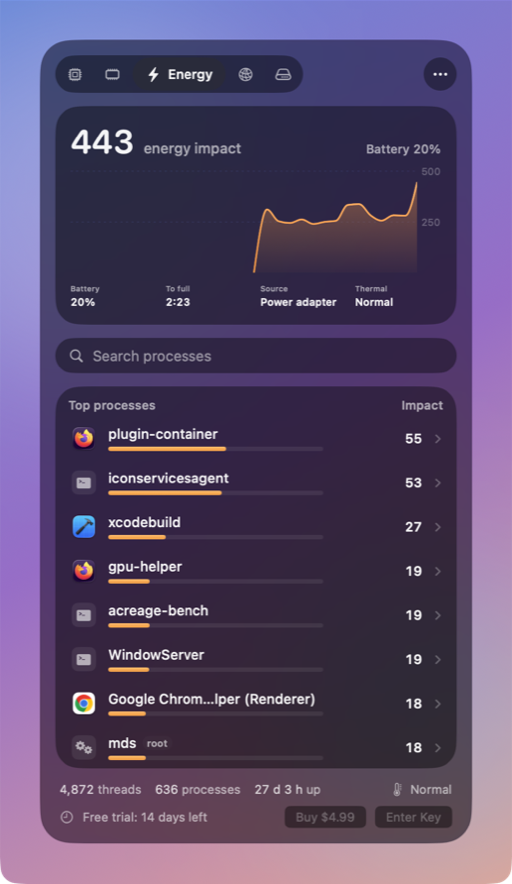
Thrum is for one question: what is slowing my Mac down, and can I stop it. One click on the menu bar graph shows the eight busiest processes in each of five tabs, with app icons, energy impact and per-app network and disk use, and Quit or Force Quit with a confirmation. With the popover closed it measured 0.3% CPU and 15 MB of memory on a MacBook Pro (M1 Pro). It requires macOS 26 Tahoe.
Sources
- iStat Menus: bjango.com/mac/istatmenus; launch prices from TidBITS, September 2024
- Stats: github.com/exelban/stats
- Activity Monitor: Activity Monitor User Guide